
September: Commissions Report and Dashboard

Introducing new reporting features for Brokers, including commissions and a new Teladoc dashboard. Also, check out our new “Find my invitation" feature to simplify user system verification.
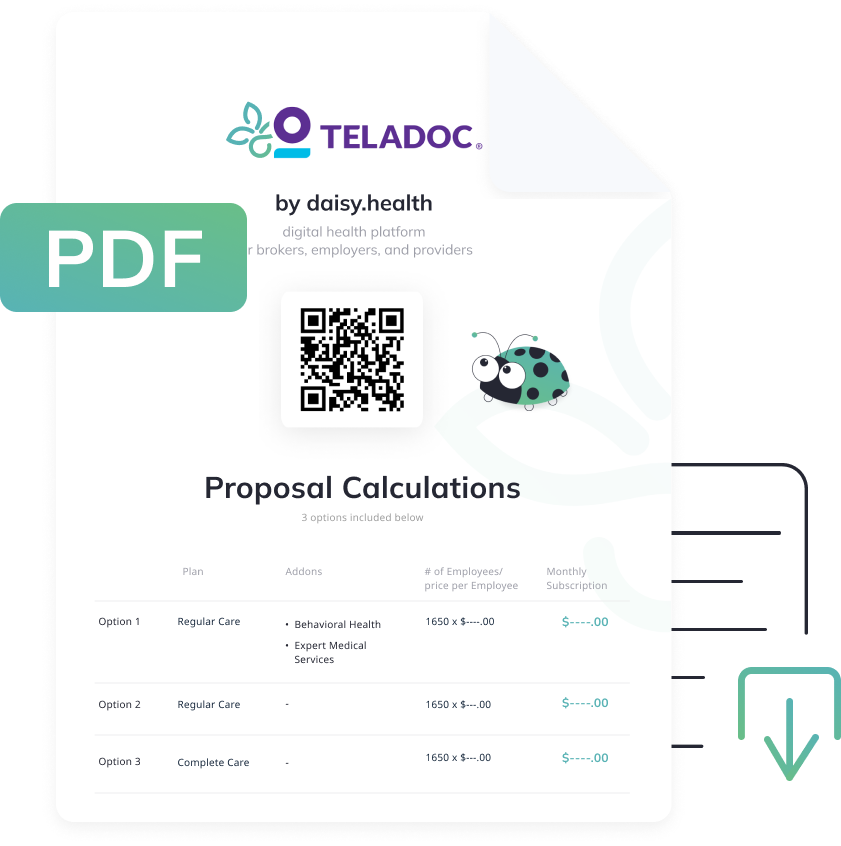
To enhance your marketing presentation, we’ve added the ability to generate and download a client-facing PDF proposal.
Teladoc Reporting Dashboard
REPORTS
The new Teladoc Reporting Dashboard is available under the Reports tab on the left-hand navigation menu. This will show several new charts that show utilization details for your groups. It defaults to the last month and goes back as far as 2019 for groups that would have data.
You can overview the general report or select a specific group. You’ll see some general overview information on the first line to give a high-level overview. Below is the Total Lives vs. Utilization report, sorted by the highest utilization percentage for each group.
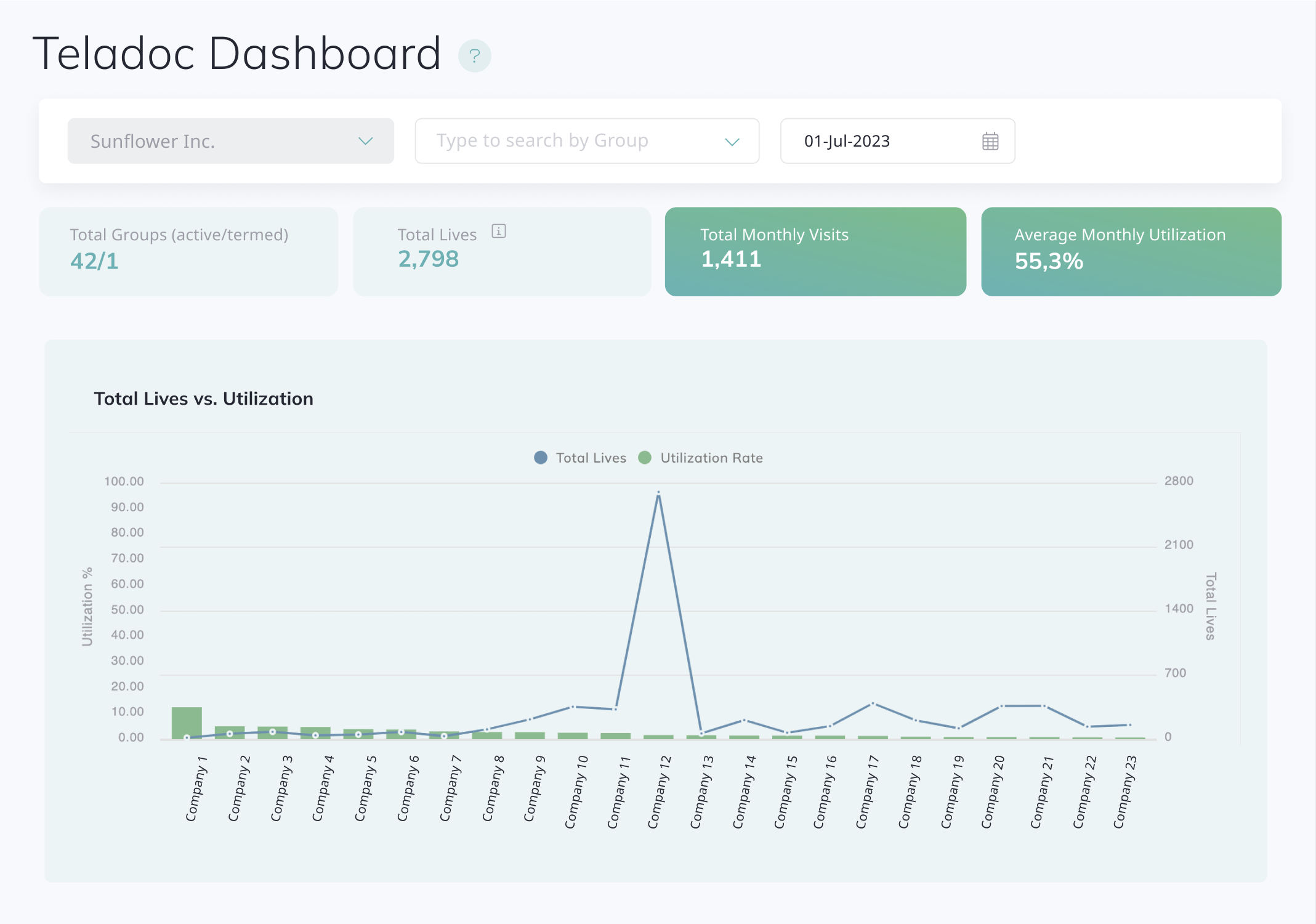
We recommend giving special attention to the Missing Medical History Completions and the No Benefit Utilization charts. These highlight instances where members in certain groups have exhibited low or no benefit utilization.
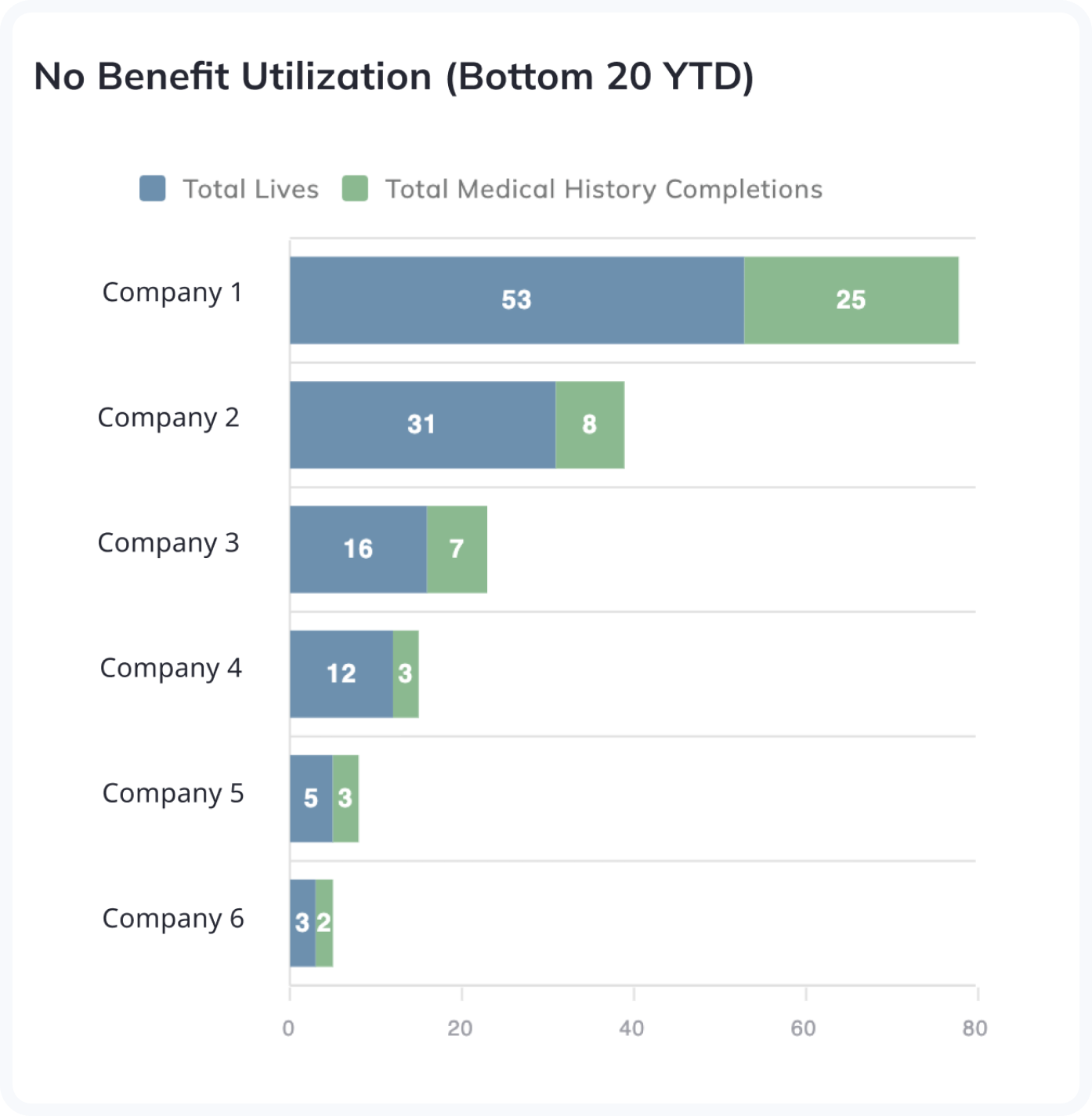
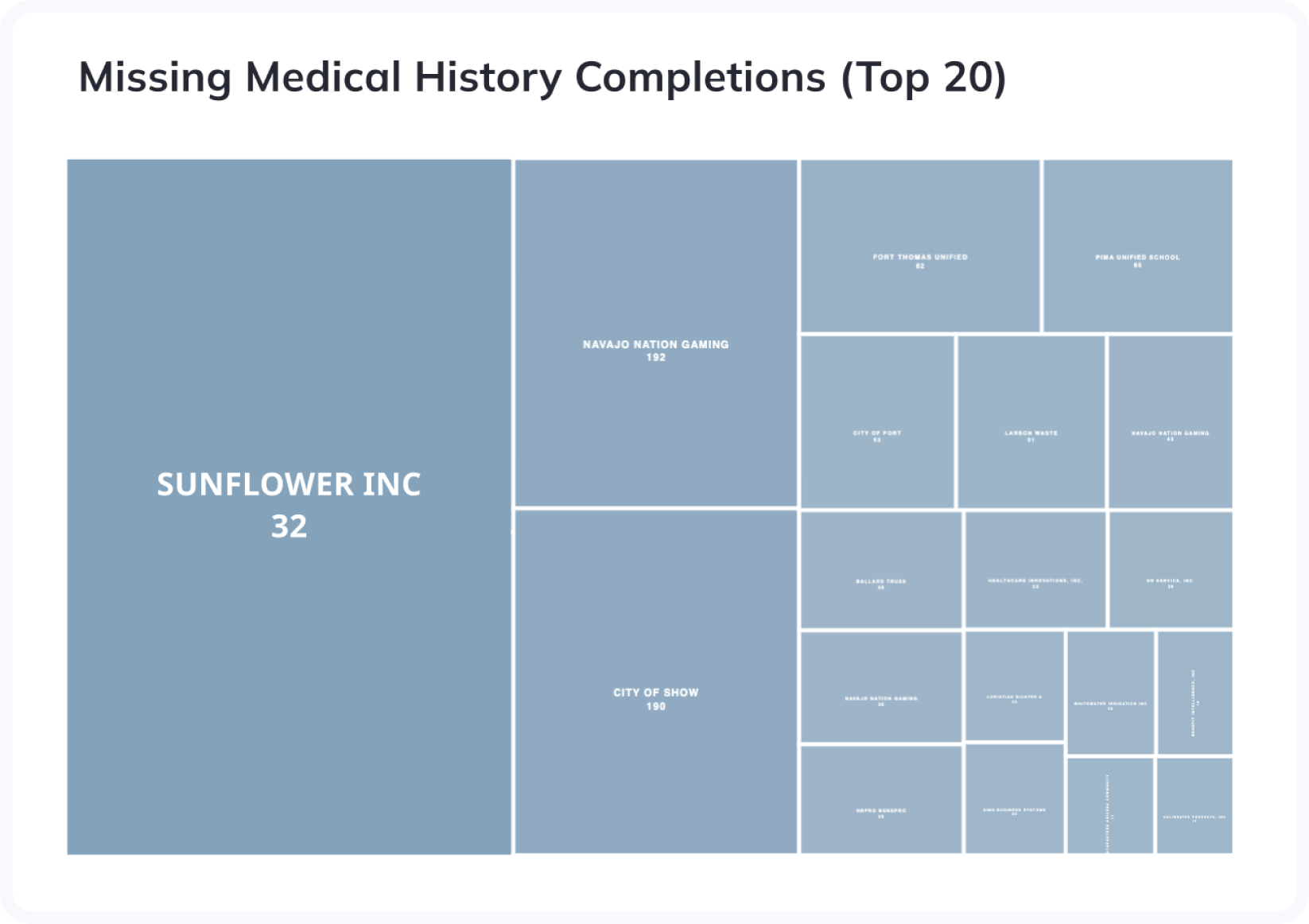
The chart on the left shows the largest groups first with no benefit utilization but includes the number of members that have at least completed their medical history in the app. The chart on the right shows the total number of users who have not completed their medical history in the Teladoc app. It's important to note that even if members have completed their medical history, they may still show no activity in the left chart until they participate in a Teladoc visit.
Commissions report
PAYMENTS
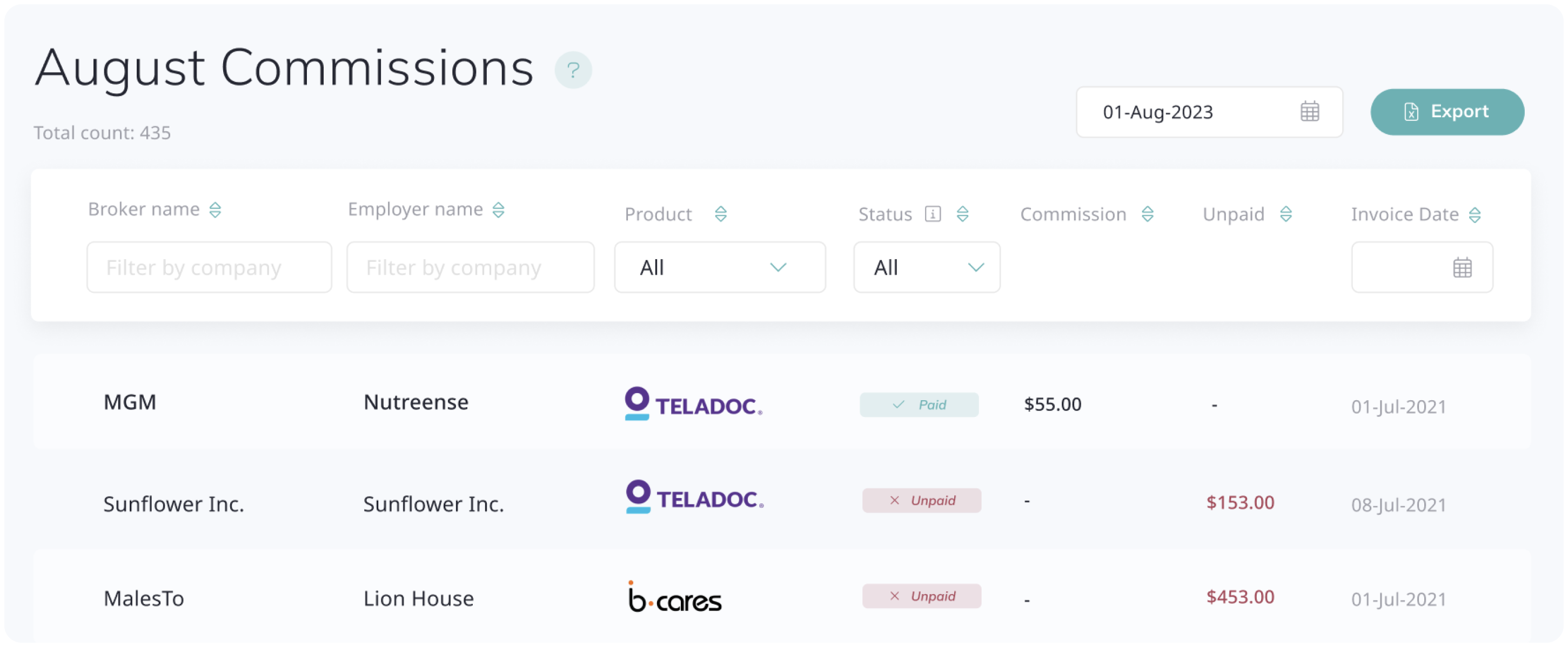
We are excited to introduce the new Commissions Report for brokers. Tracking your earnings has never been easier.
Accessible via the Commissions tab, this report provides a clear and concise overview of monthly earnings, distinguishing between 'Paid' and 'Unpaid' commissions. Export the data quickly using the filter option and the "Export" button for more significant insights and convenience.
Download Proposal PDF
PROPOSALS
New Proposal PDF functionality allows you to download the client-facing PDF and send it to your clients outside of the Daisy APP, enhancing the proposal information presentation.
The Proposal PDF will be generated separately for each product within a proposal and can include different plan options to compare. Click on each product in the proposal to download the PDF.
Find my invitation
USERS
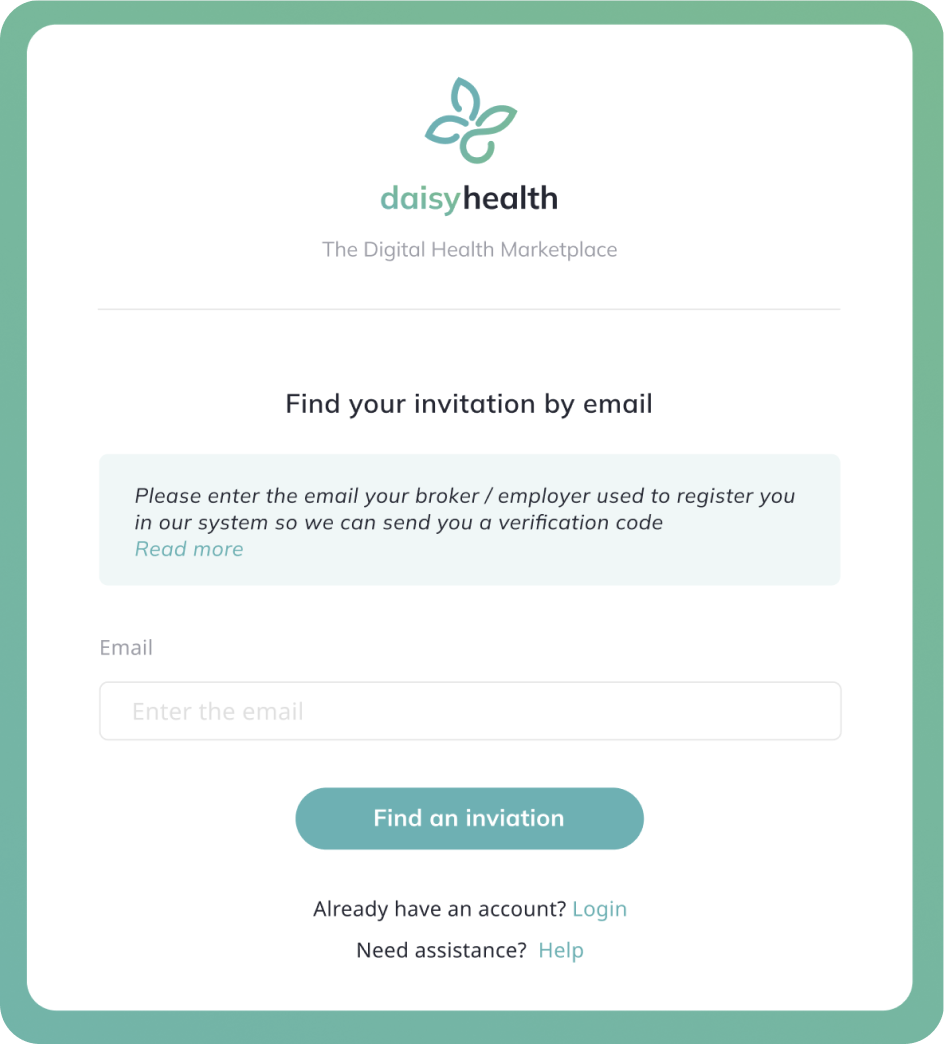
We’re thrilled to announce that all new system users can now use an alternative method for system verification, which is accessible from the main page of app.daisy.health. This should help new users who have difficulty clicking the button to go to our app from the invitation email.
Users will be asked to insert the email their sponsor used to register them in our system. If their email is found successfully, they will receive an additional email containing the verification code and then be directed to create a new password to finish the process.
Please do not hesitate to manually invite your clients to use this new method by sending them this link if they have trouble using the invitation email.
Compare benefit plans
PROPOSALS
Introducing the product comparison feature for a more enhanced proposal process!
Once you've added a single benefit to the proposal, you can easily include as many additional plan options as you like, each presented as a separate line for straightforward comparison in a dedicated table view so that your clients and you can pick the best choice and assess cost-benefit analysis.
See our new video below that walks through this process in detail.
https://youtu.be/2TWZ_IrNhlg?si=16K1bddReL5IpFD2