May: Introducing our latest bundled product offerings

Introducing our new Telehealth + daisyRx bundles: the ultimate solution that seamlessly combines the power of telehealth with a no-copay prescription plan for a discounted price.
New features include adding dependents for specific providers, an enhanced notification alerts interface, and an improved informational display on the Review Proposal page.
Telehealth + daisyRx bundles
PRODUCTS
Combine Telehealth benefits with a no-copay prescriptions plan in a single-priced bundle.
Get access to quality medical care and prescription medications all in one place. Teladoc or Walmart Health solution and the DaisyRx prescription plan can now be combined in a single bundle and receive the best value in the market.
Select the new bundled product in our marketplace today!

Teladoc + daisyRx bundle details
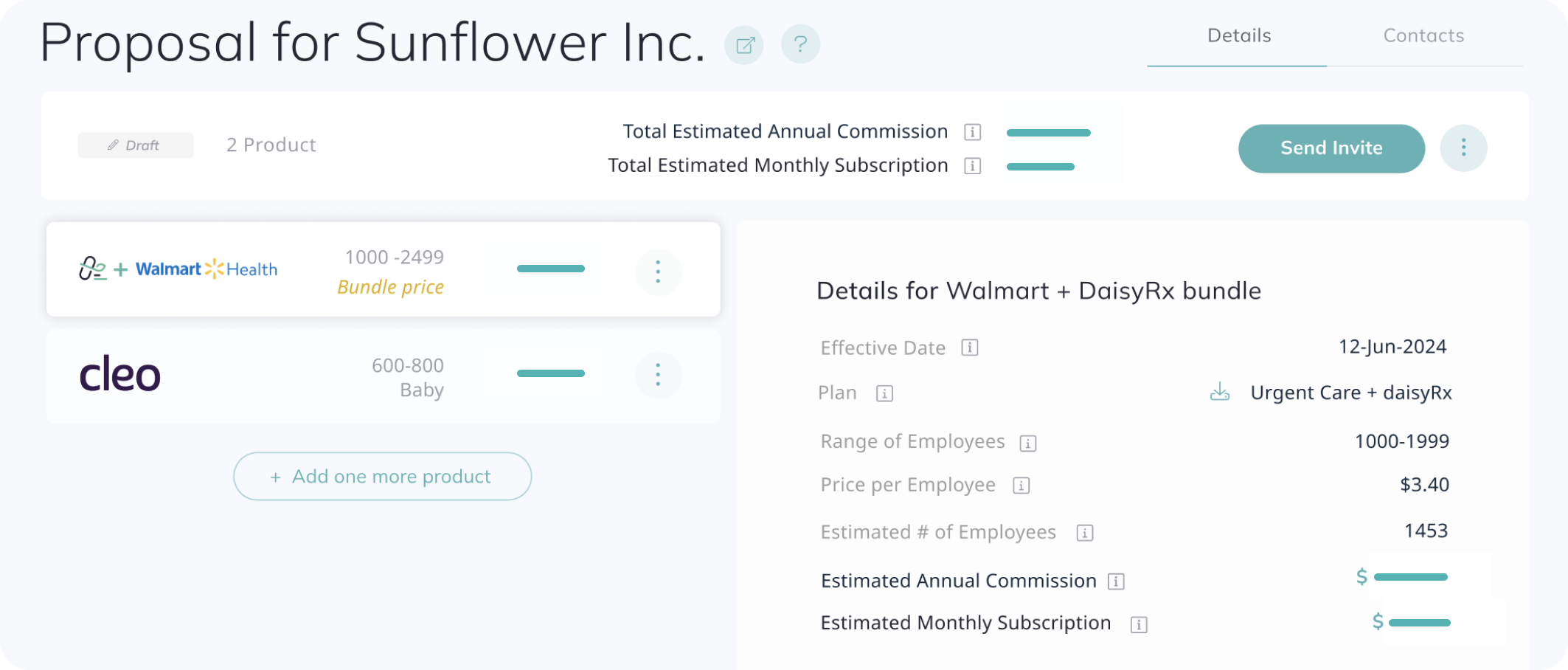
Walmart + daisyRx bundle details
Employee Dependents
USERS
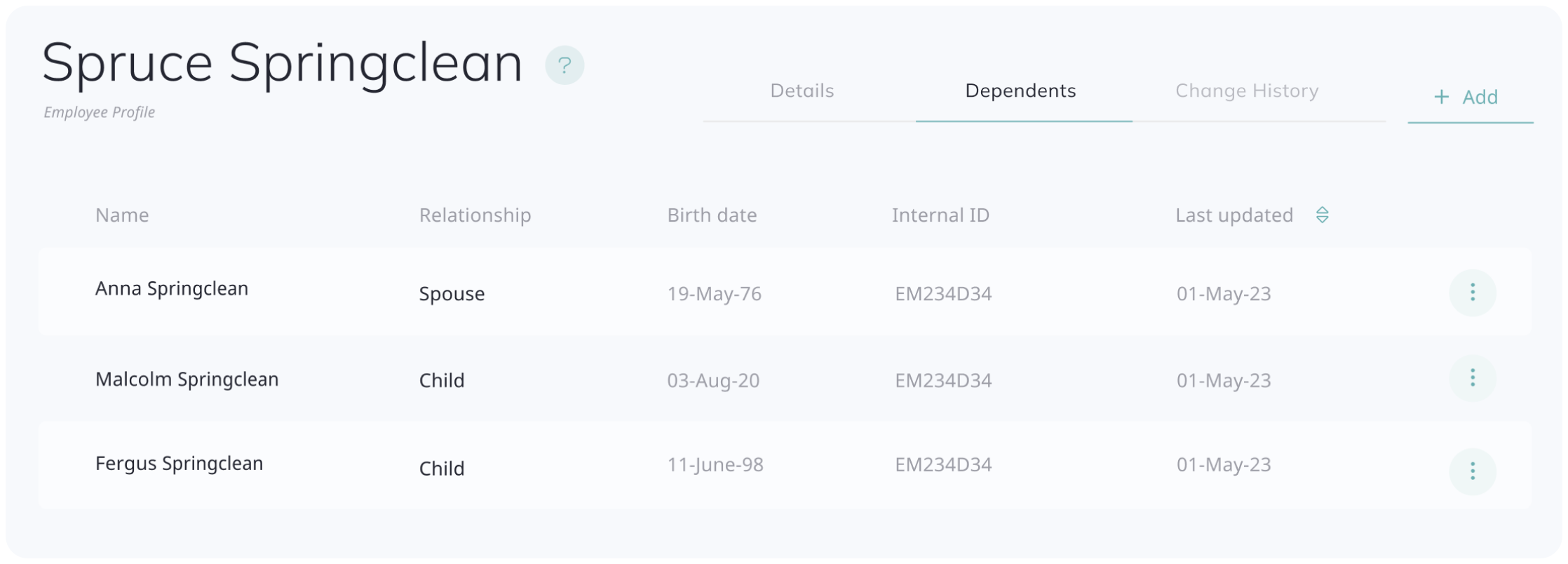
You now can add/upload a list of dependents for each Employee in the system.
The new table is available under the Employee Profile - Dependents tab. You can add/delete/edit dependents with “Spouse”, “Child”, and “Parent” relationship to the primary (e.g., Parent only applies to the Vivante product offering).
After you add dependents, all the dependents will be automatically enrolled in Vivante, Lionrock, and/or DaisyRx benefits if the Employer is registered for these services. Please allow 1-2 business days to process. For other services, we currently do not sync dependents with the provider but the subscriber can easily add them through the provider's website.
Product tile additional information
INFORMATION
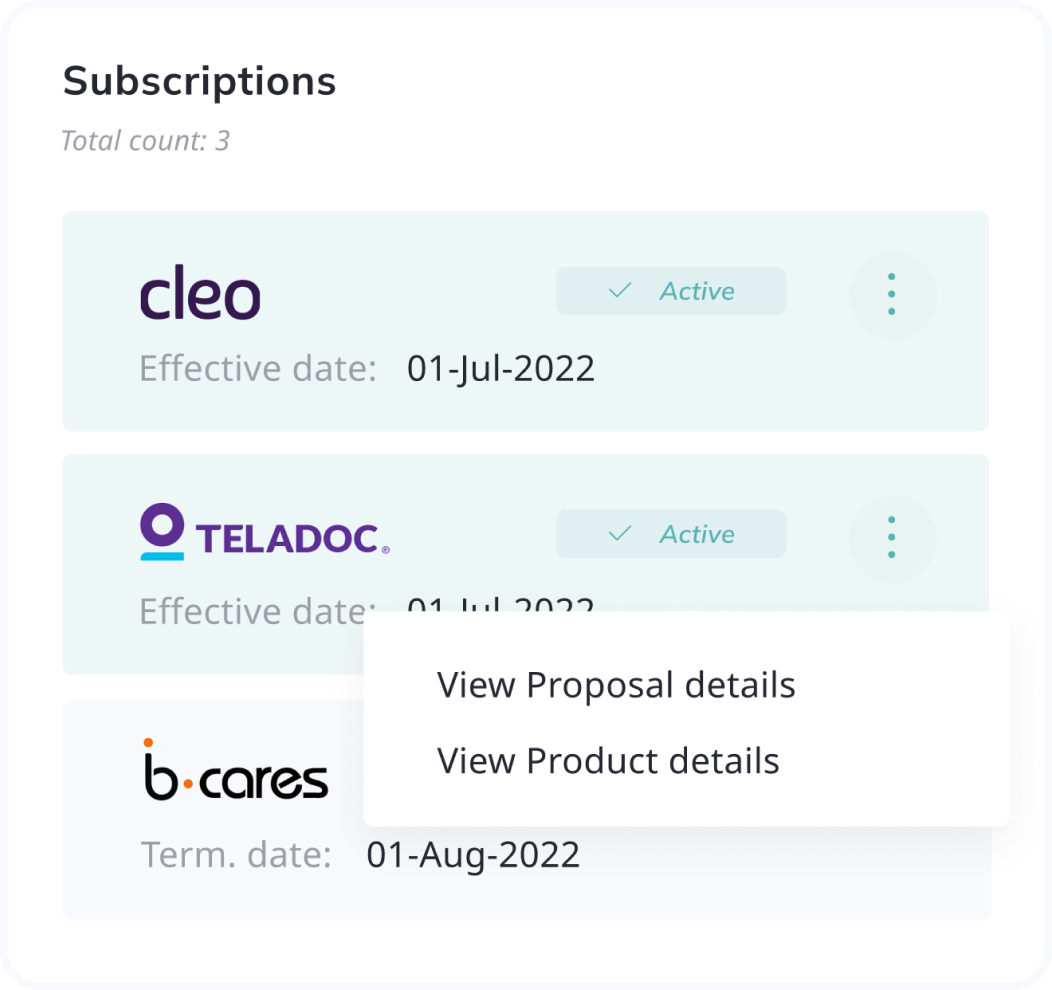
The Product lists around the app will now have an additional actions menu to conveniently get to more information. By clicking the “View Proposal details" option from the dropdown menu, you will be redirected to the related Proposal page.
View Product details will show a modal window with the benefit's detailed descriptions and additional information.
New Notifications alert option
INFORMATION
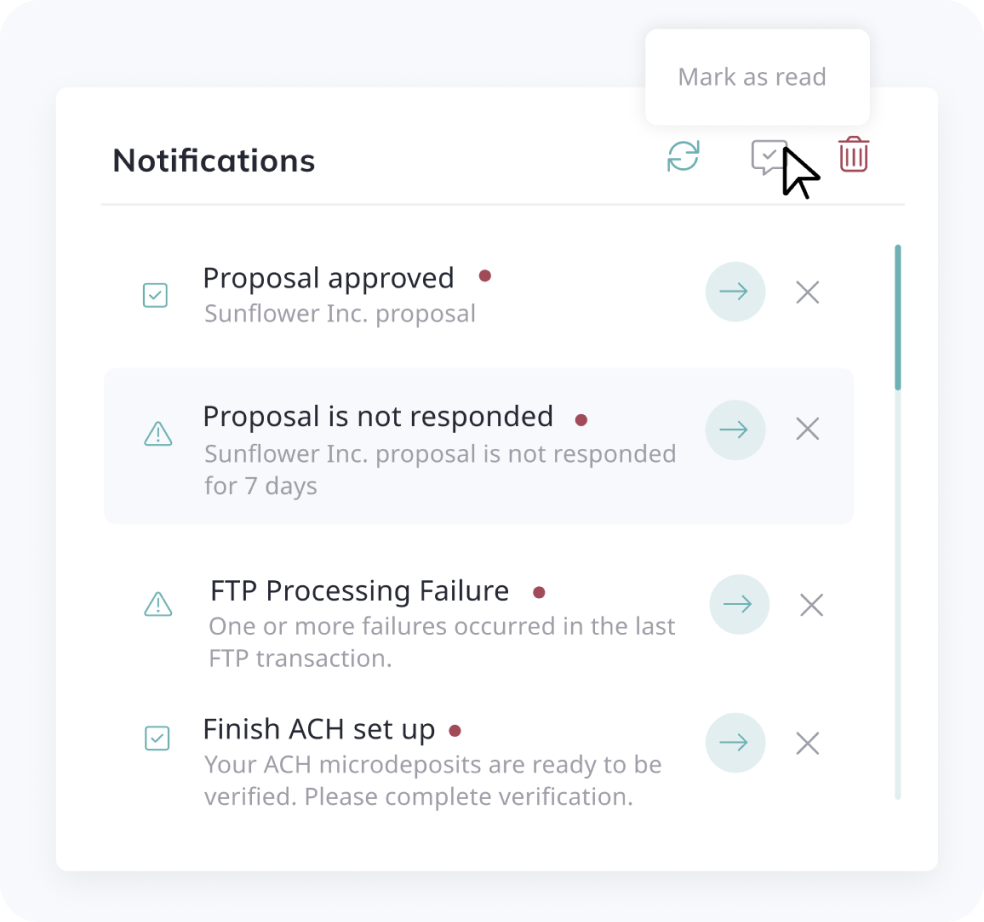
A new option for the Notifications dropdown is available from the top bar of the app with new actions such as “Mark as read”, “Delete all”, and “Refresh”. “Delete all” clear all the alerts for you to keep your alerts nice and tidy!
More information on the Review Proposal page
INFORMATION
From the Review Proposal page, you can now open a Plan details PDF to see the Employee range and price per employee in the panel on the right. This numbers are determined based on the selections made in previous screens.